Alight Motion Mod APK

Alight Motion
Alight Motion is a professional video editing and motion graphics Android software. Used to turn your ordinary clips into professional-looking videos. You have a great opportunity to create high-quality videos, animations, reels, and social media content. Here, keyframe animation, visual effects, multi-layer timeline, color adjustment, and motion blur-like features are included. Therefore, it’s suitable for both beginners and professional editors. Are you looking for a platform that makes eye-catching and attractive videos for social media platforms? Then, you can create energetic videos for multiple platforms.
What is the Alight Motion app?
Alight Motion app is a professional mobile video editing and motion graphics app. It’s especially designed for Android device users. It also supports other platforms. Creators can make animations, visual effects, and cinematic videos through this app. Here, unlimited features are available that help to make high-quality videos. Multiple video, image, and audio layers are independently managed. Moreover, keyframe animation, vector, and bitmap editing make the platform convenient. It’s not enough; some other advanced features are also available. Masking, color adjustment, and motion blur are additional features included. Users can export MP4 videos, GIF animations, and PPNG imagesequences. Edit videos without adverts and subscriptions.
What is Alight Motion APK?
Alight Motion APK is the Android installation file of the official application. If you can’t access the file through official sources, then you can use the APK file. Manually download and install the APK version on your Android. In the latest version of the application, users can enjoy better performance. The interface is simple and user-friendly. Therefore, it’s easy to use for everyone. If you are a beginner, then don’t panic. Now, editing is easy for beginners because of mobile editing software.
You don’t need to follow any complicated setup to create eye-catching videos. Moreover, it’s popular among millions of users all over the world. The main reason for the popularity of the app is its powerful features. Users can create professional, cinematic, and motion graphic videos for different social media platforms. YouTubers, TikTokers, influencers, and social media platform users can use it to create videos.
Core Features of Alight Motion Pro APK
Alight Motion Pro APK comes with many useful features. You can access these features without subscriptions or login. Let’s have a look at its useful features.
Keyframe Animation
Keyframe animation is the most powerful feature of the application. You can control object position, size, rotation, and opacity frame-by-frame. You can easily make smooth animations and professional motion graphics.
Camera Control
Camera control creates virtual camera movements. You can make dynamic videos with zoom in, zoom out, and pan effects. The feature is useful for motion graphics and cinematic edits. Because of this feature, simple clips look professional and engaging.
Multiple Layers
Alight Motion Mod APK supports video, image, text, shapes, and multiple layers. In one project,t you can manage multiple layers separately. Thus, you can create complex edits and professional compositions. Customize each layer independently.
Hierarchical Parenting
Hierarchical parenting is used to link one layer with another. When the parent layer moves, the child layer automatically moves with it. This feature is useful for motion graphics and character animation.
Advanced Easing
Advanced easing makes animation movement natural and smooth. Object starter and stop moving with realistic speed. Objects don’t immediately start moving. Thus, the animation looks more smooth and attractive. You can create professional-looking videos.
Unlimited Visual Effects
In Alight Motion Pro, 150 plus visual effects are included. These features give a creative look to videos. Glow, blur, distortion, shadows, and color effects improve the editing level. Users can customize effects according to their needs.
Vector Editing
The feature provides a facility to create vector graphics and edits. Easily resize vector graphic files without losing quality. Therefore, you can create logos, icons, and illustrations of professional quality. It’s a valuable feature for graphic designers.
Masking & Blending Modes
Alight Motion APK download includes a powerful compositing mode. Here, masking and blending modes are included as tools. You can creatively combine multiple layers. The feature is used for cinematic effects and advanced video editing.
Chroma Key
Here, not only the chroma key but also the luma key is available to remove the green screen background. Now, you can easily remove green screen videos. You can replace the black or green screen background with your favourite images or videos.
Color Adjustment
The feature of color adjustment allows you to adjust brightness, contrast, saturation, hue, and temperature. You can enhance the color of videos and make them more attractive. Content creators can apply perfect colors according to their editing.
Motion Blur
Motion blur gives a realistic look to fast-moving objects. When you animate any object, its movement looks natural and smooth. The feature adds a professional touch in action scenes, transitions, and motion graphics.
Custom Font Support
You can import your favorite fonts and add in the videos. Thus, you can make unique text, captions, and titles. The feature is helpful for branding and social media content. It provides creative freedom.
Multiple Export
When you complete the editing process, you export videos in multiple formats. Export videos in MP4, GIF animation, and PNG image sequence. Users can choose quality and resolution according to their social media platforms. Alight Motion Download on Android
Alight Motion download on Android.
Are you looking for a high-quality video editing application? Then, you can download Alight Motion on your Android. Follow these guidelines.
Download APK File
Open your smartphone and search for the application. Now, locate the download button on our website. Press the available download button and start the downloading process.
Enable Unknown Sources
Now, open your device settings and enable unknown sources. The unknown sources section is available in the security and privacy section of your Android. It’s an important step to start the installation process.
Locate APK File
Now, locate the downloaded file. The file is available in the download folder of your Android. Open the file manager and locate the file in the download folder.
Start Installation Process
Open the installation file and start the installation process in one click. Tap on the available download button. The installation process may take a few seconds to complete.
Open Alight Motion
Now, open the app in one click and start editing on your Android. You can make motion graphics and animations without any complications.
Alight Motion app Download on iOS Devices.
Alight Motion app iOS download on your iOS devices. The download process is simple and easy. You don’t need to follow any complicated setup to use it on iOS devices. Basically, its official version is available on your iOS devices. You can use the official version for better security and performance. Moreover, if you want to use the APK version. Then you can install the APK version through a third-party installer. Use the Tutu installer on your device and start the installation process. Now, use the APK version on your iOS without any complications.
Alight Motion APK Download on PC
If you want to edit videos on a big screen, then you can download Alight Motion APK on PC through an Android emulator. Follow these guidelines.
Download an Android Emulator
Download an Android emulator on your PC to start the installation process. You can download the latest version of an Android emulator like BlueStacks from trusted sources.
Open The Emulator
Open the emulator and install it on the PC. Now, launch the emulator and allow necessary permissions. Emulators are important to create an Android environment on your PC.
Download APK File
Now, it’s time to download an APK file from our website. Locate the download page and press the download button. The download process will automatically begin. The file is saved in device storage.
Drag and Drop File
Now, use the install button or drag and drop the installation file into your emulator. Start the installation process. Wait for the installation process to complete.
Open Alight Motion
Open the app through the available icon. Grant necessary permissions. Now, you can start editing on a big screen.
What is Alight Motion Pro?
Alight Motion Pro is an Android mobile editing software. You can use the application on your Android phones without any restrictions. Make motion graphics and animations on smartphones without adverts. In the Pro version, many useful features are included. You can enjoy exclusive features and an ad-free environment. Moreover, export your edited videos without a watermark. Are you also looking for a platform that helps you make high-quality videos? Then, it’s an ideal choice for content creators and social media users. You need to pay your monthly or yearly subscription to use the platform. You can’t use it without purchasing its subscription plans.
What is Alight Motion Mod?
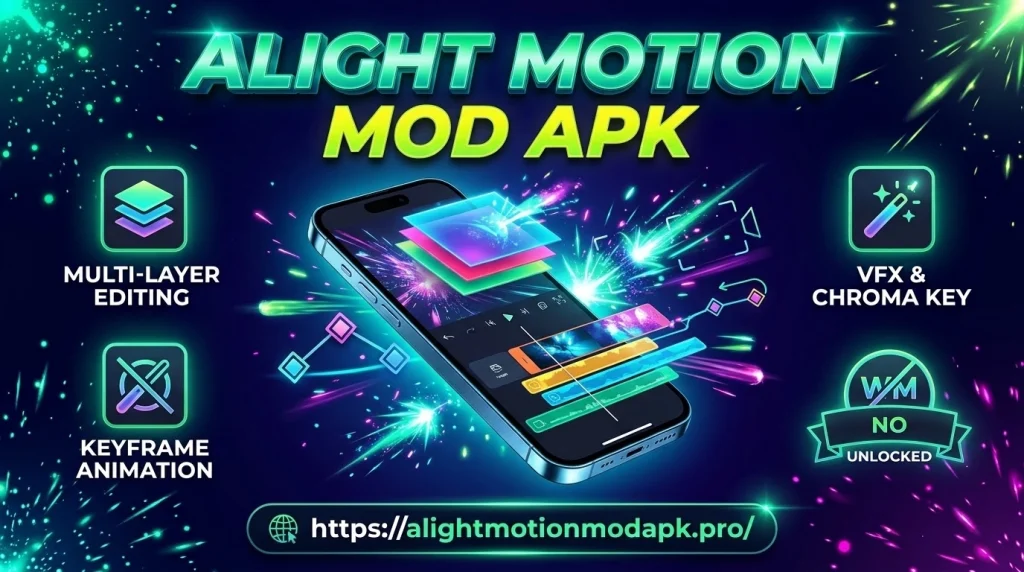
Alight Motion mod APK downloads the latest version on Android. The mod APK is especially designed to provide users with extra features. Users can access premium features without subscriptions. Here, all the pro features are already unlocked. You can enjoy premium features, no watermark export, an ad-free experience, all visuals unlocked, and high-quality video export. However, don’t forget that the mod APK is an unofficial and third-party application. Therefore, avoid downloading from unknown sources. Unknown sources can create malware and security risks. Therefore, always choose trusted sources.
Is Alight Motion Pro Mod APK safe?
Motion Pro Mod APK is an unofficial version. It’s modified by third-party developers. The mod version is not available on the Google Play Store. Thus, you can’t download it from trusted sources.
Therefore, you can face some security and privacy risks. Moreover, some viruses and malware risks are also included in the application. Thus, always download from trusted sources.
Additionally, don’t allow unnecessary permissions and scan files before the installation process. Always scan files to reduce the risk of possible threats. Grant permission to your storage and camera only.
Alternatives to Alight Motion Mod
Alight Motion Mod APK download provides users with premium features, an ad-free experience, and watermark-free export. Still, some users don’t want to use it because of security issues. Therefore, you can try its alternatives.
CapCut
CapCut is the most popular editing software. You can use it on your Android to make high-quality videos. Create videos for multiple social media platforms. You can export videos without a watermark or logo.
VN
VN is an Android editing tool. You can use it on your Android phone and PC for a better editing experience. It’s popular because of its simple and user-friendly interface. You can make high-quality, professional-looking videos.
KineMaster
KineMaster is a useful and powerful editing platform because of its useful features. It offers users multi-layer editing, watermark-free export, and ad-free editing. Make professional and cinematic-looking videos for your social media platforms.
Inshot
Inshot turns your ordinary clips intoprofessional-lookingg short movies. You can enjoy multi-layer editing, background removal, and AI tools to make high-quality videos. Thus, open the platform and start editing without account creation and subscriptions.
Pros and Cons
Pros
Cons
Conclusion
Alight Motion mod apk download the latest version on your Android and create high-quality videos. The application is officially available. Thus, for better security and privacy, you can use the official version. However, users who can’t access the official version can download the APK version on their Android devices. The download and installation process for Android devices is simple. Moreover, the app is popular because of its easy-to-use interface. You can create high-quality videos for your different social media platforms. It’s all possible because of the APK version. In the application, unlimited useful features are included. Thus, you can export videos without a watermark and enjoy an ad-free environment.